School & College Management Software
A complete ERP for schools and colleges — admin web portal plus staff and parent mobile apps, published on Google Play under your institution's own name.
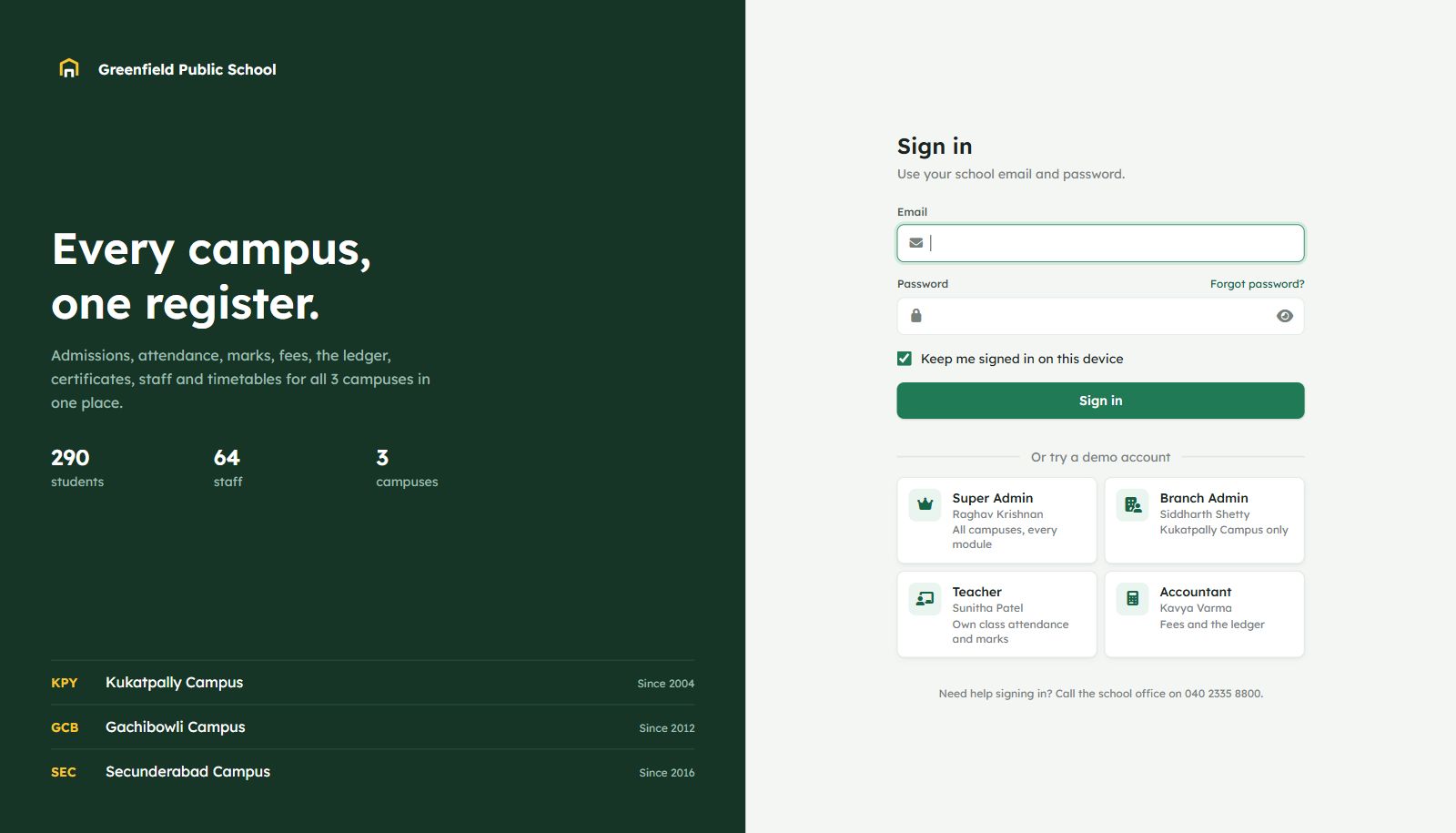
A demo school with 3 campuses — one-click sign-in as Super Admin, Branch Admin, Teacher or Accountant.
4
Portals & apps
6
User roles
Multi
Campus & branch
Your
Name on Play Store
Overview
What it does
One platform to run a school, a college or a multi-campus group: admissions, attendance, exams, fees, homework, timetables, certificates and ID cards, all in one place — with every institution's data kept completely separate.
Management and office staff work in the web portal. Teachers get a staff app for attendance, marks and homework. Students and parents get their own app for attendance, results, homework, events and certificates. Both mobile apps go out on Google Play under your institution's name, not ours.
Built for
- Schools
- Junior & degree colleges
- Multi-campus school groups
- Education trusts & societies
Platforms
Everything that comes with it
Super Admin web portal
Run every campus from one login — branches, users, settings and group-wide numbers, with a campus switcher.
Admin & staff web portal
Admissions, fees, exams, attendance, timetables, certificates and reports for office staff, accountants and teachers.
Staff app (Android & iOS)
Take attendance, enter marks, set and review homework, check the timetable and school calendar on the go.
Student & Parent app (Android & iOS)
Attendance calendar, results with rank, homework, events, certificates and ID card — with a child switcher for parents.
Features
12 modules, one system
Admissions & student records
- Admission form and complete student profile
- Attendance, exams, fees and certificates on one profile
- Parents linked to their children
- Search and filters by class, section and status
Attendance
- Daily marking by the class teacher
- Monthly registers with holidays blocked
- Absence alerts to parents
- Staff attendance with leave, half-day and cover suggestions
Exams, marks & report cards
- Exam setup and marks entry by subject teachers
- Automatic grading from your grading scale
- Ranked results published to students and parents
- Printable PDF report cards
Fees & accounts
- Fee structure per class with terms and due dates
- Concessions, transport fee and printable receipts
- Dues and overdue lists
- Ledger, vouchers and income & expense reports
Homework & assignments
- Set work for a class, section or chosen students
- Students hand in; parents acknowledge
- Review with marks and feedback
- Automatic reminders for pending work
Timetable
- Class and teacher timetables
- Teacher clash detection and workload
- Periods, breaks and working days per campus
Certificates & documents
- Bonafide, study, conduct and transfer certificates
- Request and approval flow for parents and staff
- Signed, numbered PDFs with a QR code
- Anyone can verify a certificate online
ID cards
- Student and staff ID card designs per institution
- Print-ready PDF, front and back
- On-screen card with QR verification in the app
Leaderboards & performance
- Class, section and school rankings
- Based on exams and attendance
- Most-improved students and performance reports
Events & school calendar
- Events for the whole school or chosen classes
- RSVPs from parents, per child
- Holidays and reminders in one calendar
Dashboards & reports
- Attendance, fee collection and marks charts
- Income vs expenses
- Export to PDF, Word and Excel
Security & access control
- Separate roles for management, admins, teachers, accountants, students and parents
- OTP sign-in on mobile
- Each institution's data kept separate
- Audit log of every change
Your app, in your institution's name
We publish the staff app and the student & parent app on Google Play under your school or college's name, so parents download your app — not a third-party one. Your logo, your colours, your institution.
FAQ
Questions we usually get
Will the mobile apps be published under our school's name?
Yes. The staff app and the student & parent app are published on Google Play under your institution's name, so parents and staff download your own app.
Can one system handle several campuses or branches?
Yes. A Super Admin sees every campus with a campus switcher, while each branch admin only sees their own campus.
Who uses the web portal and who uses the apps?
Management, office staff, accountants and teachers use the web portal. Teachers also get the staff app, and students and parents use the student & parent app.
Is our data kept private from other schools?
Yes. Every institution's data is kept separate, every user only sees what their role allows, and changes are recorded in an audit log.
Can we see it before we decide?
Yes — try the live demo, or book a walkthrough and we will show it set up for a school like yours.


Have a project in mind? Let's talk about it.
No sales deck, no discovery call marathon — just a straight answer on whether we're a good fit.
24 hrs
Average first reply time